10 Best Standing Desks Worth Buying in 2026
Our team tested the best standing desks for 2026, from the Vari ComfortEdge to the Branch Four Leg and Grovemade Desk, after weeks of daily use.
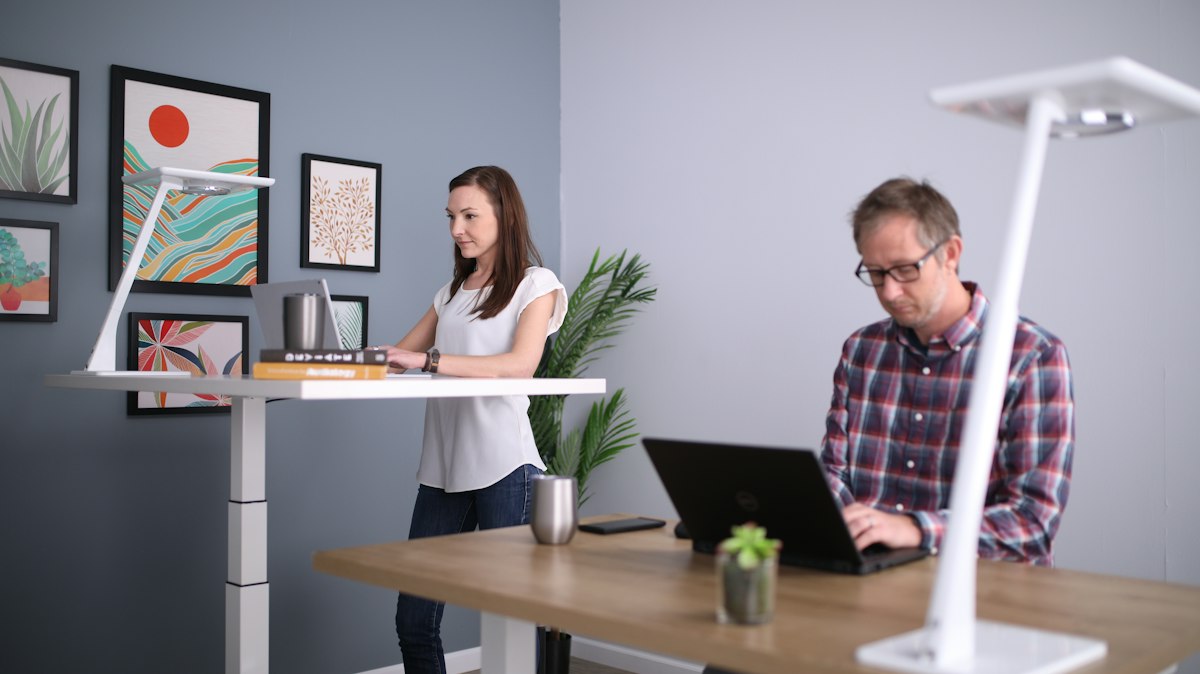
Best standing desks aren't the cheapest furniture you can buy. And the ones worth owning? They announce themselves the moment you sit down. The category has matured to the point where the differences between a $170 desk and a $2,500 desk are no longer about whether the motor hums, because what actually separates them now is how low the desk goes, how easily it comes apart when you move, whether the cable situation turns into a rat's nest, and whether the warranty outlasts your lease.
That is what separates the models below. Each has been tested at home for weeks or years, through ordinary desk work and some less ordinary projects. The result is a short list of desks that make standing a habit rather than a chore.
What Actually Makes a Standing Desk Worth It
Height range is the spec most people skim past. And it's the one that decides whether a desk works for you at all, which means the number you ignore is the number that quietly governs every hour you spend sitting there. A desk that bottoms out at 28 inches is fine for someone around six feet tall. Miserable for someone closer to five feet. A desk that climbs past 48 inches will wobble under a heavy monitor unless the frame was built for it.
Assembly matters more than the marketing suggests. Some desks go together in minutes with a handful of screws. Others arrive as a box of unlabeled parts and a manual that assumes you already know what a crossbeam is. And then there is the question of what happens after the sale: a lifetime warranty on a desk you keep for a decade is worth more than a modest discount at checkout.
Here is the part the spec sheets skip. Cable management and collision sensors are the two features that shape daily use, and plenty of expensive desks get them wrong. A desk that pauses when it senses an obstacle is safer, but only if the sensor is consistent. A desk with a hidden trench for cables looks immaculate, but only if you actually use it.
The Standing Desks Worth Buying
Vari ComfortEdge: The Best All-Rounder
The ComfortEdge sits at the intersection of value, style, and functionality. Its top is laminated wood. It's easy to clean. And the sloped "waterfall" front edge, which lets you rest your forearms comfortably for hours on end, is the kind of detail that quietly shapes how a workspace actually feels over the course of a long day. Over eight hours of use, that sculpted edge makes a noticeable difference compared with a flat slab of laminate.

Assembly is the real standout. You slide the T-shaped legs into their slots and attach them with a couple of screws. Disassembly is the same process in reverse. The height range is unusually wide, and unlike many competitors, the ComfortEdge offers an option on wheels, which makes it portable from room to room.
There are four programmable preset heights, so you press once and let the desk find its level while you sip coffee. The dual motors hum quietly at around 50 decibels. It comes in sizes up to a massive six-foot width, down to a 48-inch model and a 40-inch version that suits small spaces while still holding a keyboard, speakers, a mouse, and an iMac. Drawers cost extra.
Branch Four Leg: The Classic Look
A classic four-legged desk just looks right. There's something about it that fits a room, that settles into a space so naturally you'd never guess what it really is until your eye catches the small control panel sitting there on the desktop. Branch offers several wood grains for the plywood top. And rounded corners eliminate sharp edges.
Four motors inside the telescoping powder-coated steel and aluminum legs move the desk up and down relatively quickly, though they are a little louder than expected. Assembly is easy, provided you are ready to handle a lot of screws. The control panel is simple: press the up and down arrows to your preferred height, press M, then press 1, 2, or 3 to save it. No buried settings menu.
The desk does not wobble, and mounting monitor arms or a microphone arm to the desktop caused no trouble. The weak point is the collision sensor. Sometimes it detects an office chair's arms and pauses. Other times it keeps going and tilts the desk backward. It is worth watching the desk as it moves rather than trusting the sensor.
- Height range: 27.3 to 44.6 inches
- Desktop sizes: 48 x 27 inches, 59 x 27 inches
- Memory presets: three
- Load: 225-pound operational, 450-pound static
- Weight: 80 pounds
- Warranty: 10 years
Secretlab Magnus Pro: The Cable Nerd's Choice
The Magnus Pro is an all-metal desk, and it is magnetic. Secretlab sells an array of magnetic accessories, from cable anchors to sheaths to a hook for your headphones, all aimed at getting wires out of sight. The best feature is the trench system at the back: open it, route every cable through, then close it. There is even a power supply built into the left column, so one cable runs from the leg to the wall outlet while everything else stays hidden.
A small display shows your height setting, and three presets are easy to configure. There is a physical lock to stop accidental presses from moving the desk. The accessory list is long: a dual-monitor mount designed for the trench, a PC mount to hide an ATX case, and a laptop attachment to keep it raised. The metal desktop scratches easily, so a MagPad Desk Mat is close to mandatory.
The one real complaint is weight. At 152 pounds for the Pro and 172 for the Pro XL, moving it is painful. Disassemble it first.
- Height range: 25.6 to 49.2 inches
- Desktop sizes: 59.1 x 27.6 (Pro), 70 x 31.5 inches (Pro XL)
- Memory presets: three
- Load: 265-pound operational
- Warranty: five years
Grovemade: The Hand-Finished Upgrade
Grovemade's desk arrives in several boxes with packaging precise enough to survive shipping, which makes unboxing slow and generates a lot of waste. Assembly is not difficult, though labeling the bags of screws would have helped. The result makes those complaints vanish. The hand-finished wood desktop, paired with powder-coated steel and brushed aluminum, is a statement piece for a home office.
A pull-out drawer sets it apart from the sea of similar standing desks, lined with merino wool felt and roomy enough for a MacBook Pro or a handful of USB drives. An integrated surge protector with six outlets sits in the power panel underneath, so your gadgets connect there and one cable runs to the wall. A slim gap at the back of the desktop routes cables through.
You can limit the height to specific ranges, and the under-desk control panel is not hard to operate, though the two height presets are easy to forget without the manual nearby. It is quiet and not too wobbly even at higher levels. The collision sensor, however, kicked in later than it should have, detecting an office chair's arm only after the desk had already tilted slightly.
- Height range: 25.25 to 50.5 inches
- Desktop size: 58 x 28 inches
- Memory presets: two
- Load: 350-pound operational
- Weight: 135 pounds
- Warranty: five years
Budget and Compact Picks That Hold Up
Branch Duo: The Mid-Priced Compact
The Duo started small. It's a compact desktop. Now it comes in larger sizes. The laminated MDF top comes in several designs, and it's hard not to like, since it's the kind of surface that quietly wins you over once you've seen it up close. It supports add-ons. There's a desk tray to extend the desktop's reach, a cable organizer, and a desk drawer. The dual motors are very quiet. And a lip at the center back feeds wires through.
The paddle control is unusual: lift it to raise the desk, push it to lower. A double-press moves it to a preset, though saving presets is not intuitive. There is a hidden gear icon on the right of the panel. Move the desk to your preferred height, tap the gear twice, and the screen shows a heart with the number 2. Repeat and it saves as number 1. Keep the manual handy.
Branch also sells a full-size standing desk that is larger, has a brushed grommet for cables, a greater adjustment range, and four height presets.
- Height range: 28 to 47.8 inches
- Desktop sizes: 36 x 24, 48 x 24, 58 x 27 inches
- Memory presets: two
- Load: 275-pound operational
- Warranty: 10 years
Flexispot EN1: The Budget Workhorse
Any electric standing desk under $200 demands a compromise. This one picks its battles carefully. The worktop is generous at 60 x 24 inches. It's stayed reliable and stable after more than two years of use, following an initial purchase on a Prime Day sale, and that's a record most cheap desks don't come close to matching. The one-piece top is laminated particleboard in a range of wood tones, white, or black.
The steel base adjusts smoothly and quietly at just 38 decibels, from 28 to 46 inches, which works out perfectly for standing while using a MacBook Air at a height of 5'6". It offers four programmable presets, matching desks that cost more than twice as much.
The catch is assembly. The directions are surprisingly complicated, and putting together the base and its mechanical innards led to multiple missteps and a lot of photos and questions sent to Flexispot's customer service. Buy through Flexispot's site even if you purchase on Amazon, because Amazon will not help. The maple-colored particleboard reads more elementary school desk than classy home office, and the down button is slow to respond. But the laminate cleans up easily, and hooks on either side hold cords or headphones. Two years on, it is still the desk in the home office.
- Height range: 28.1 to 45.7 inches
- Desktop sizes: 40 x 24 up to 60 x 24 inches
- Memory presets: four
- Load: 154-pound operational
- Warranty: five years
Desks Built for Bodies the Industry Ignores
Uplift's V3 clears up a flaw that afflicts most standing desks: at 22 inches, it goes low enough to accommodate people much closer to five feet than six. Strange how hard that is to find. Testers noted admirable stability, with a main support rail running the full breadth of the desk that also anchors its many modular accessories. Left-handers get a real win here, because the control pad can be installed on either side.
If you are someone who wants to customize every inch of your workspace, the V3 makes that possible, while still being workable for anyone up to about 6'4".
The customization list is long: multiple tabletop and leg colors, underneath hammocks, cup holders, anti-fatigue mats, trays, monitor arms, lamps, cord organizers, even a headphone stand.
- Height range: 22.6 to 48.7 inches
- Frame supports widths from 42 to 80 inches
- Memory presets: four
- Load: 355 pounds
- Warranty: 15 years
For heavier users, the Vari Ergo electric standing desk borrows the ComfortEdge's best traits: easy assembly and disassembly, a height range from 25 to 50 inches, a quiet dual motor, clean lines, and stability even at full extension. The lifetime warranty applies here too. Its extra trick is a crescent-shaped cut-out at the front of the desk, designed to support good ergonomic posture while giving heavier people more room to work.
The Bottom Line on Best Standing Desks
The desk you will actually keep is not the one with the longest feature list. It is the one whose height range fits your body, whose assembly does not end in a customer service thread, and whose warranty still means something five years from now. The ComfortEdge and the Ergo cover most people. The Magnus Pro suits anyone who cannot stand visible cables. The Flexispot EN1 proves a budget desk can survive two years of daily use if you are patient with the manual. Pick the one that matches your height and your tolerance for assembly, and standing becomes a habit instead of a project.
Frequently Asked Questions
What actually separates the best standing desks from cheaper models today, according to the article?
According to the article, the differences between a $170 desk and a $2,500 desk are no longer about whether the motor hums. What separates them now is how low the desk goes, how easily it comes apart when you move, whether the cable situation turns into a rat's nest, and whether the warranty outlasts your lease.
Why does the article say height range is the spec most people should not skim past?
Height range is described as the one spec that decides whether a desk works for you at all, quietly governing every hour you spend sitting there. A desk that bottoms out at 28 inches is fine for someone around six feet tall but miserable for someone closer to five feet, and a desk climbing past 48 inches will wobble under a heavy monitor unless the frame was built for it.
How is assembly handled differently across the desks reviewed in the article?
Some desks go together in minutes with a handful of screws, while others arrive as a box of unlabeled parts and a manual that assumes you already know what a crossbeam is. The Vari ComfortEdge stands out because you slide the T-shaped legs into their slots and attach them with a couple of screws, and disassembly is the same process in reverse.
Which desk does the article recommend for someone who wants a hand-finished look, and what feature sets it apart?
The Grovemade desk is the hand-finished upgrade, pairing a hand-finished wood desktop with powder-coated steel and brushed aluminum as a statement piece for a home office. A pull-out drawer lined with merino wool felt sets it apart from the sea of similar standing desks and is roomy enough for a MacBook Pro or a handful of USB drives.
What trade-offs does the Flexispot EN1 make as a budget desk under $200?
The Flexispot EN1 picks its battles carefully: the worktop is generous at 60 x 24 inches and it stayed reliable and stable after more than two years of use, with four programmable presets matching desks that cost more than twice as much. The catch is assembly with surprisingly complicated directions, and the maple-colored particleboard reads more elementary school desk than classy home office.

Markus Heill writes about technology and the tools we use every day, from smartphones to the services that run in the background. He is interested in how good design makes technology easier to live with.
💬 Comments (0)
No comments yet. Be the first!