I Tested the Surface Laptop Ultra. It Mostly Delivers.
Surface Laptop Ultra delivers a stunning mini-LED display, magnetic USB-C charging, and impressive ARM gaming, but software lags.
Surface Laptop Ultra arrives at a strange time in personal computing. Over the past week, the laptop Microsoft sent me has been summarizing books and movies, generating images from prompts, and running a 70-billion-parameter AI model that would be a stretch on most laptops. It also played AAA games at a speed and fidelity I would have thought impossible on an ARM system a year ago. Microsoft wants to sell one computer for all of your needs. For once, that does not feel like total marketing fluff. Mostly.
Recent industry numbers showed a 20 percent drop in total PC shipments year over year in the third quarter of 2026. That is not just consumer purchasing. It is across the board. Between the RAMpocalypse that has exploded consumer prices and an industry fixated on enterprise money, there has not been much new hardware to excite PC enthusiasts. Microsoft is throwing both arms around the new Nvidia RTX Spark platform and setting its sights on the would-be MacBook Pro buyer, or as the company called it, "a high performance audience."
The Enthusiast Question
The bet is simple. Rather than a gaming desktop for fun and a development laptop for work, buyers will pay more for one machine that does both. Microsoft is not the only one debuting an RTX-chipped laptop. Dell's XPS 16 Creator Edition and Asus's ProArt series are betting on the chipset as well. The question when reviewing the Surface Laptop Ultra is not whether it can achieve its claims competently. It is whether there is finally a compelling reason for power users to switch to an ARM system, and whether daily workloads can be achieved without hiccups compared with a traditional x86 offering or the MacBook Pro.
$2,599 is the starting price. This is not a budget alternative to Apple silicon. Depending on selected processor and memory options, MSRP can reach as high as $5,899. Prospective buyers should note that the lower-specced 24GB unified memory model ships with Windows 11 Home, while the rest of the fleet arrives with Windows 11 Pro. I received the 64GB model for testing, and I think that would probably be the sweet spot for a lot of users to align cost and performance.
One detail stands out. Is 24GB enough? I really have to wonder, when Windows 11 is memory-hungry on its own, whether 24GB is enough to go around. When you've got to set aside a large share of that 24GB of unified memory for VRAM just to play games, does performance take a hit? An audience question inside Microsoft's review information session asked about the usefulness of the base model, and all they got back was a vague "useful for smaller models locally" answer. But Microsoft may have a more definitive answer a few months from now, when software and drivers catch up with hardware.
- Starting price: $2,599; maximum MSRP: $5,899 depending on processor and memory choices.
- 24GB unified memory base model ships with Windows 11 Home; higher configurations ship with Windows 11 Pro.
- 15-inch mini-LED display, 3270x2180 native resolution, 2,000-nit peak brightness.
- RTX Spark N1X: Grace CPU fused to a Blackwell GPU, with no dedicated NPU.
Screen, Keyboard, and That Huge Trackpad
The 15-inch mini-LED display might not be enough to get people to run to the Ultra on its own. But it's a compelling reason to add it to the list. The 3270x2180 native resolution looks simply stunning whether you're watching a 4K video, playing games, or staring at a desktop spreadsheet, and that kind of clarity across so many everyday tasks makes a real difference. I preferred the Enhanced color profile. But Vivid and sRGB modes looked fantastic as well. Blacks stayed deep. Bright, vivid subjects showed no visible blooming. Viewing angles are superb, colors are punchy, and the 2,000-nit peak brightness kept things legible even in a room flooded with natural sunlight, which is exactly the kind of real-world condition where lesser screens tend to fall apart. My only gripe is glare in bright rooms. The glossy glass looks fantastic at lower light levels. But it can act mirror-like in direct sunlight. If you want a matte-screen laptop, keep that in mind.
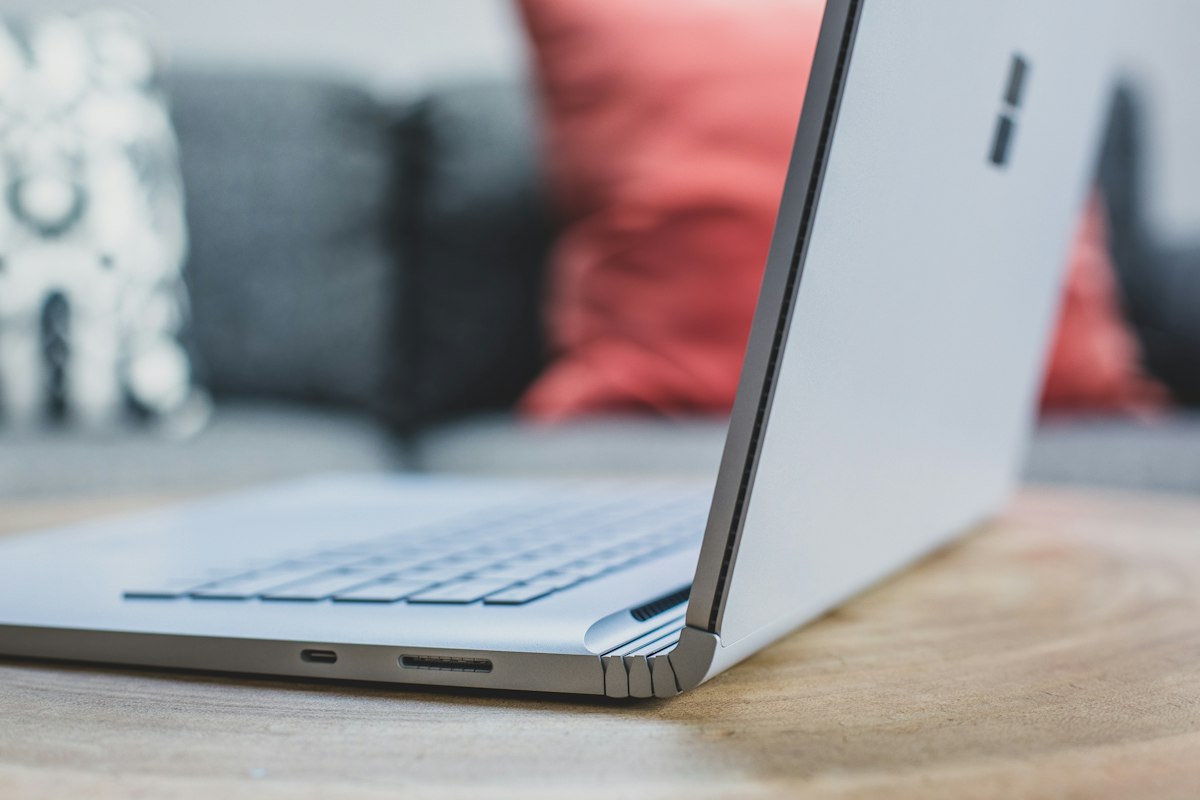
The keyboard is exactly what you'd expect on a premium machine. It's excellent, if unremarkable. The keys have a shallow but satisfying press, the spacing makes sense for my hands, and the whole package delivers a comfortable typing experience that never asks you to think about it. The closest comparison I have on hand is my 2020 MacBook Pro. Microsoft knows its market. The trackpad is similarly competent. It's absolutely huge, measuring 5.5 inches long by 3.5 inches tall, with excellent tracking accuracy throughout testing. Normally I attach an external mouse when working from a laptop. Over days of testing, I never reached for the mouse drawer.
Magnetic USB-C Charging: A First in Name
Microsoft describes the included magnetic charging connection and port as:
"the world's first built-in magnetic USB-C charging experience"
It's hard to get upset about marketing doing its job. But this claim struck me as more technical truth than engineering feat. Apple's MagSafe charging debuted on the original MacBook Pro back in 2006. A breakaway magnetic charger isn't new. Technically Microsoft's assertion holds water because this is the first USB-C connector on a laptop with a matching magnetic port, rather than a proprietary connector, which is a distinction that matters more to spec sheets than to anyone who has actually used a laptop in the real world. The magnetic connection does work well. The port and charger naturally guide themselves together. Plugging in a dark room was hassle-free. Nothing will ruin your day faster than watching a new laptop fly off the counter. The breakaway cable should prevent that if a curious toddler or startled cat catches the cable. I simulated a few accidental disconnects with modest force. The cable disconnected dutifully. It's a nice-to-have, not a must-have. It isn't going to move units on its own at these price tiers.
Benchmarks: The GPU Sings, the AI Path Falters
Nvidia says the RTX Spark N1X is a Grace CPU fused to a Blackwell GPU. It has no dedicated NPU. Unlike chipsets like AMD's Ryzen AI, the N1X skips that part entirely, and instead it leans on unified memory and the heavy-duty Blackwell GPU for AI work, which is a different approach than what we've seen from other chipmakers. These results back up Microsoft's claims. They say the Surface Laptop Ultra can handle modern AAA gaming. And it just takes different paths to performance than many of us are used to. That's the point.
Geekbench AI Can't See the Hardware
The AI benchmark was a bit of a miss. I can't run an NPU-accelerated benchmark in Geekbench AI, because the software presumably does not currently have a compatible NPU backend for this unusual architecture, which leaves me stuck with whatever path the tool decides to offer. Curiously, Windows lists a generic NPU under Display Adapters in Device Manager. But Geekbench AI only offered the ONNX CPU testing path. It remains unclear whether the generic NPU listed by Windows is a virtual device, a driver exposure, or something else entirely, and without more transparency from either the operating system or the benchmarking tool, there is no way to tell the difference. You can't get performance metrics on hardware that Geekbench cannot properly see yet. The CPU score in Geekbench AI is not particularly impressive. And bypassing the Blackwell sort of defeats the purpose of this hardware. It's still early days.
AI Dev Gallery Is Still Rough
Microsoft recommended reviewers try its AI Dev Gallery app. It's a way to test on-device AI. The software is in public preview, and users can pull models of their choice directly from Hugging Face, which sounds convenient enough on paper for what should have been a simple one-stop shop. In practice, all of the available conversational Phi and Mistral models in the app are CPU-only. No GPU or NPU pathways are available. The Blackwell sits there idling. GPU and NPU paths are there for some image generation and embedded model options, but you're left with the feeling that we're pushing advanced hardware just to have something to offer the market. Curious consumers may get frustrated. They hit a gate in what's advertised as a ready-to-run experience.
Ollama and a 70B Model That Should Not Run
Frustrated with AI Dev Gallery, I tried Ollama in the command prompt. If I were Microsoft, this is the demo I would want to show off. It ran. That's impressive. It was one of the few times the Blackwell really seemed to be sweating. Even at full tilt, the fans don't generate a lot of sound other than the high-speed push of air, and although the machine was clearly working hard, it stayed surprisingly quiet.
Gaming on an ARM Machine
Microsoft talks about a high performance audience. No one demands more than the modern high-end PC gamer. I'm old enough that 1080p/60 Hz gaming still looks great, and that's probably for the best given the current cost of video cards, which have gotten out of hand. Those who crave zero input lag, 4K, and ray-traced life? They're a particular bunch. Whether the Surface Laptop Ultra will be high performance enough for that audience depends on the individual gamer and their wallet. And this gamer was genuinely impressed that these results were coming out of an ARM machine.
The hardware can complete these tasks. That's not the question. The real question is whether power users have a reason to leave x86, and whether daily workloads still run without hiccups, and that's a harder thing to answer because it depends on what you actually do with the machine every single day. On the gaming side, the answer looks promising. But on the AI software side, the answer is more frustrating.
The Software Lag Is the Real Catch
So has the Microsoft and Nvidia team-up created the ultimate all-in-one laptop? Or is this the industry once again putting the hardware hype cart before the finished-software horse? Based on testing, the Surface Laptop Ultra mostly delivers. The display is excellent, the keyboard and trackpad are premium enough, the magnetic charging works, and the gaming results from an ARM system surprised me. The 70B model running locally at all is a genuine moment. But the AI Dev Gallery crashes, the missing NPU backend in Geekbench AI, the failed CUDA path, and the out-of-reach Phi Silica API all tell the same story. The chip is ready. The software layer is not quite there yet.
Microsoft may have a better story a few months from now. Drivers and apps will catch up. For early adopters willing to pay $2,599 and up, the Surface Laptop Ultra is a peek at where ARM laptops are heading, and it's a costly peek that shows you the direction of travel without pretending the road is finished. Just know this. Some of the AI promises come with rough edges, unfinished packaging, and a few gates that should not be there on a machine this expensive, and that's a lot to accept when you've already paid so much.
Frequently Asked Questions
What is the starting price of the Surface Laptop Ultra and how high can its MSRP go?
The Surface Laptop Ultra starts at $2,599, which the article notes is not a budget alternative to Apple silicon. Depending on selected processor and memory options, the MSRP can reach as high as $5,899. Prospective buyers should also note that the lower-specced 24GB unified memory model ships with Windows 11 Home, while the rest of the fleet arrives with Windows 11 Pro.
What are the key specifications of the Surface Laptop Ultra's display?
The Surface Laptop Ultra features a 15-inch mini-LED display with a 3270x2180 native resolution and 2,000-nit peak brightness. The article states that the resolution looks simply stunning whether watching a 4K video, playing games, or staring at a desktop spreadsheet. Blacks stayed deep, bright vivid subjects showed no visible blooming, and viewing angles are superb, though the glossy glass can act mirror-like in direct sunlight.
What is the RTX Spark N1X chipset and how does it handle AI work differently from other chipmakers?
Nvidia says the RTX Spark N1X is a Grace CPU fused to a Blackwell GPU, and it has no dedicated NPU. Unlike chipsets like AMD's Ryzen AI, the N1X skips that part entirely and instead leans on unified memory and the heavy-duty Blackwell GPU for AI work, which the article describes as a different approach than what we've seen from other chipmakers.
How did the Surface Laptop Ultra perform in AI benchmarking and the AI Dev Gallery app?
The AI benchmark was a bit of a miss because the reviewer could not run an NPU-accelerated benchmark in Geekbench AI, as the software presumably does not currently have a compatible NPU backend for this unusual architecture. In the AI Dev Gallery app, all of the available conversational Phi and Mistral models are CPU-only with no GPU or NPU pathways available, leaving the Blackwell sitting there idling. The article notes the CPU score in Geekbench AI is not particularly impressive and bypassing the Blackwell sort of defeats the purpose of this hardware.
What did the reviewer find when running Ollama and a 70-billion-parameter model on the Surface Laptop Ultra?
Frustrated with AI Dev Gallery, the reviewer tried Ollama in the command prompt, and it ran, which the article calls impressive and says would be the demo Microsoft should want to show off. It was one of the few times the Blackwell really seemed to be sweating. Even at full tilt, the fans don't generate a lot of sound other than the high-speed push of air, and although the machine was clearly working hard, it stayed surprisingly quiet.

Chloe Dupont covers consumer technology, from the latest devices to the software shaping daily life. She focuses on how new tools fit into the real world and whether they live up to the promise.
💬 Comments (0)
No comments yet. Be the first!